
Ask AI
Have a question about this article? Ask our AI assistant!
What Is WooCommerce Hosting? Benefits, Features & How It Works
WooCommerce hosting is a specialized type of WordPress hosting that is optimized specifically for websites running WooCommerce, the world's most popular eCommerce plugin for WordPress. Unlike standard web hosting, WooCommerce hosting is designed to handle the unique demands of online stores, including dynamic product pages, shopping carts, checkout processes, payment gateways, and customer accounts.
- What Is WooCommerce Hosting?
- How Does WooCommerce Hosting Work?
- Why WooCommerce Needs Specialized Hosting
- WooCommerce Hosting vs. Regular WordPress Hosting
- Types of WooCommerce Hosting
- Shared WooCommerce Hosting
- Managed WooCommerce Hosting
- VPS WooCommerce Hosting
- Dedicated Server Hosting
- Cloud WooCommerce Hosting
- Essential Features of WooCommerce Hosting
- Benefits of WooCommerce Hosting
- Faster Store Performance
- Better Checkout Experience
- Enhanced Security
- Greater Scalability
- Who Needs WooCommerce Hosting?
- Common Mistakes When Choosing WooCommerce Hosting
- How to Choose the Best WooCommerce Hosting
- Final Thoughts
- Frequently Asked Questions
- What is WooCommerce hosting?
- Is WooCommerce hosting different from WordPress hosting?
- Can WooCommerce run on shared hosting?
- Does WooCommerce hosting improve website speed?
- Which type of WooCommerce hosting is best?
Whether you're launching a small online shop or managing a large eCommerce business, choosing the right WooCommerce hosting can significantly improve your store's speed, security, scalability, and overall customer experience.
What Is WooCommerce Hosting?
 WooCommerce Hosting? Benefits, Features & How It Works">
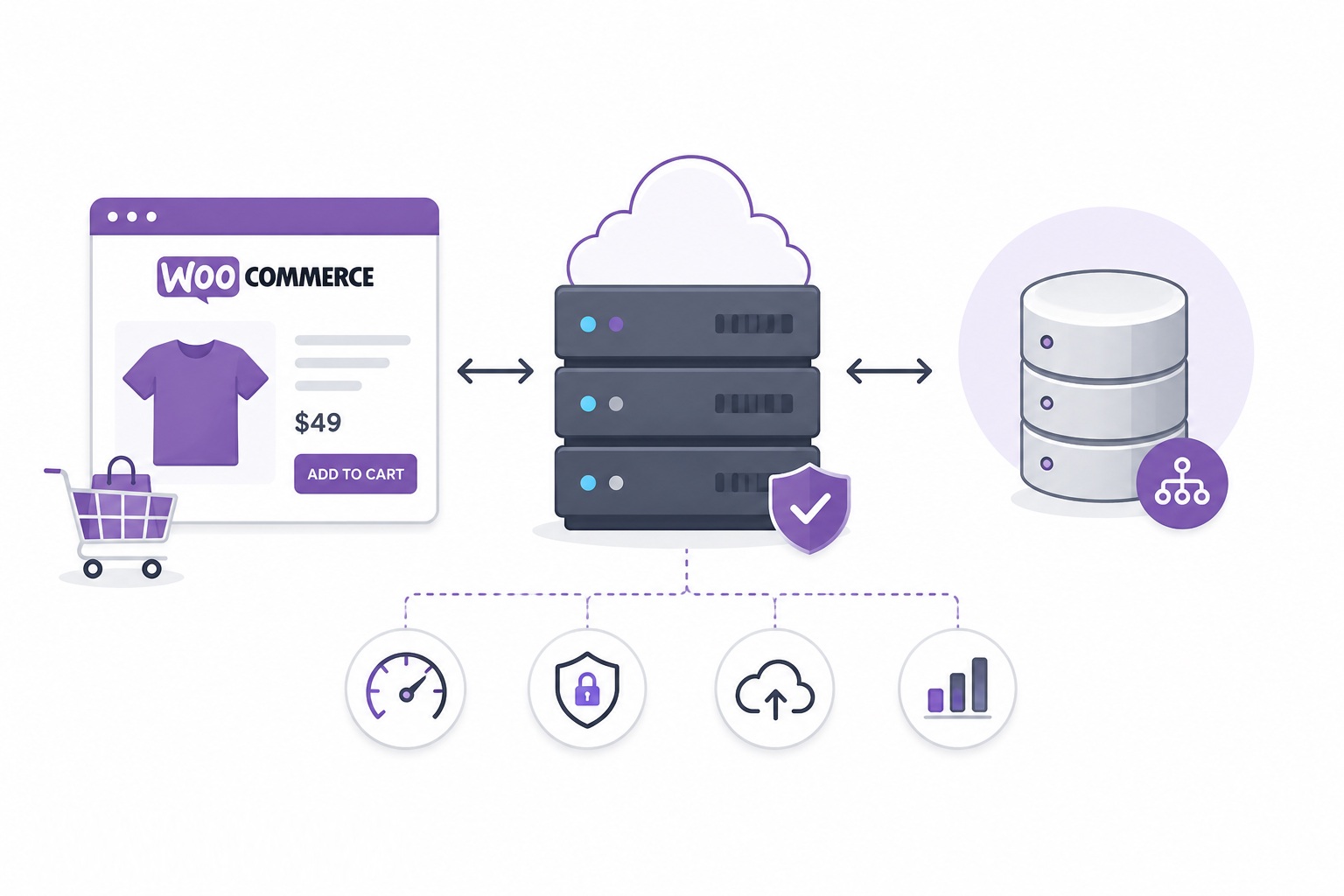
WooCommerce hosting is a hosting environment specifically configured to run WooCommerce stores efficiently.
Because online stores perform many real-time operations—such as updating shopping carts, processing payments, checking inventory, and managing customer sessions—they require more server resources than a typical WordPress blog or business website. WooCommerce hosting provides these resources while optimizing the server for maximum performance.
How Does WooCommerce Hosting Work?
When a customer visits your online store, the hosting server performs several operations:
-
Receives the visitor's request.
-
Loads WordPress and WooCommerce.
-
Retrieves product information from the database.
-
Processes shopping cart and user session data.
-
Generates the page dynamically.
-
Delivers the completed page to the customer's browser.
Unlike static websites, WooCommerce stores constantly interact with the database, making server optimization essential.
Why WooCommerce Needs Specialized Hosting
A WooCommerce store is significantly more resource-intensive than a standard WordPress website.
Every visitor may trigger:
-
Product database queries
-
Cart updates
-
Checkout calculations
-
Inventory checks
-
Customer account sessions
-
Payment processing
These dynamic operations cannot be fully cached like regular web pages, which is why WooCommerce hosting is optimized for database performance and server resources.
WooCommerce Hosting vs. Regular WordPress Hosting
| Feature | WooCommerce Hosting | Standard WordPress Hosting |
|---|---|---|
| Optimized for online stores | ✅ | ❌ |
| Shopping cart optimization | ✅ | ❌ |
| Checkout performance | ✅ | Limited |
| Database optimization | Advanced | Basic |
| Resource allocation | Higher | Standard |
| Payment security | Enhanced | Standard |
| Scalability | Excellent | Moderate |
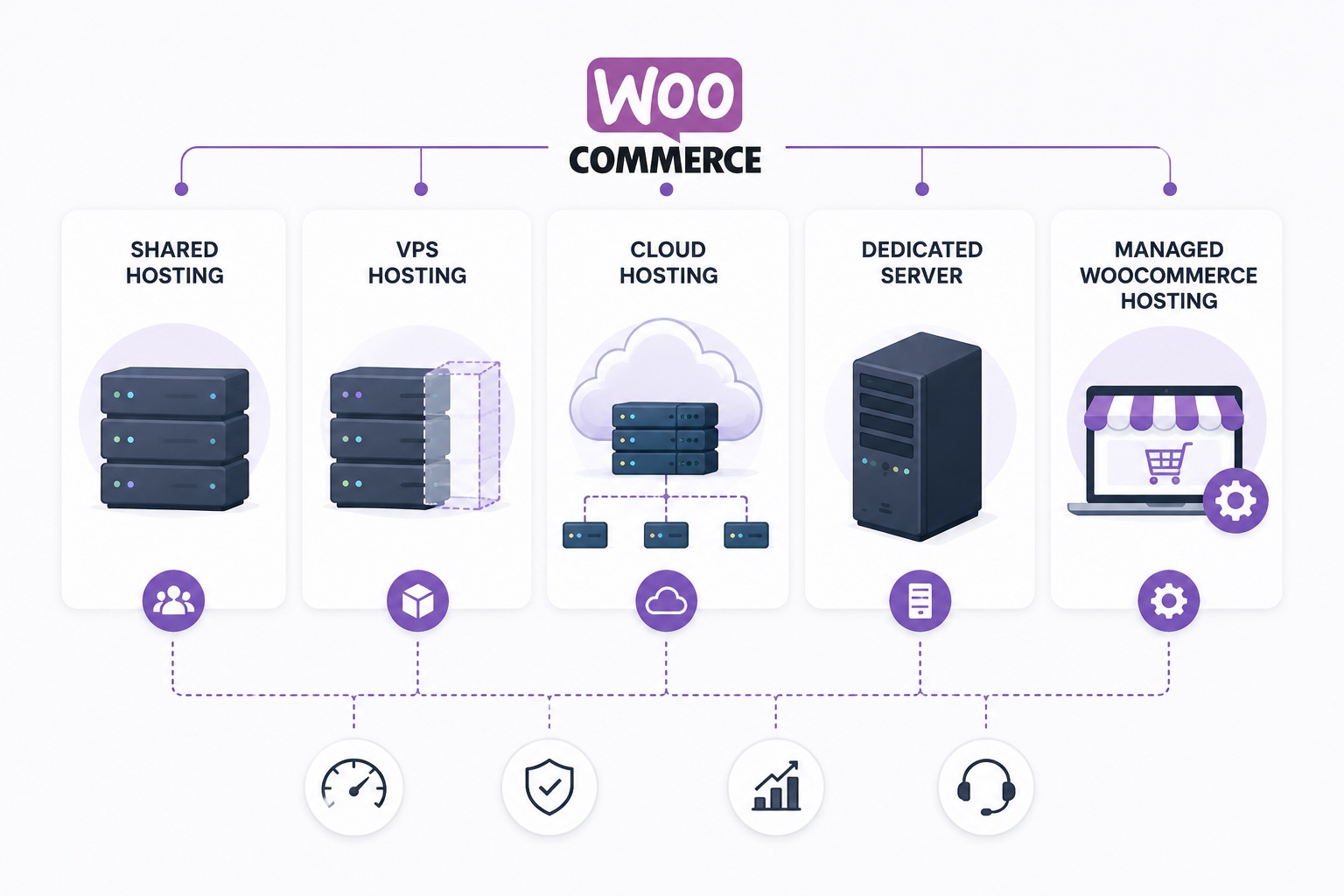
Types of WooCommerce Hosting
 WooCommerce Hosting? Benefits, Features & How It Works">
Shared WooCommerce Hosting
Suitable for:
-
New online stores
-
Small catalogs
-
Low traffic
Pros:
-
Affordable
-
Easy setup
-
Beginner-friendly
Cons:
-
Shared server resources
-
Limited scalability
Managed WooCommerce Hosting
The hosting provider manages:
-
WordPress updates
-
WooCommerce updates
-
Daily backups
-
Security monitoring
-
Performance optimization
-
Server maintenance
Managed hosting is ideal for business owners who want to focus on selling instead of server administration.
VPS WooCommerce Hosting
Best for:
-
Growing businesses
-
Medium-sized stores
-
Higher traffic
Benefits include:
-
Dedicated CPU and RAM
-
Better performance
-
Greater flexibility
-
Improved reliability
Dedicated Server Hosting
Recommended for:
-
Enterprise stores
-
High-order volumes
-
Large product catalogs
-
High-traffic websites
Advantages:
-
Maximum performance
-
Full server control
-
Excellent security
-
Predictable performance
Cloud WooCommerce Hosting
Cloud hosting distributes workloads across multiple servers.
Benefits include:
-
High availability
-
Automatic scaling
-
Better uptime
-
Traffic spike handling
Cloud hosting is often the preferred solution for rapidly growing online businesses.
Essential Features of WooCommerce Hosting
A quality WooCommerce hosting plan should include:
-
NVMe SSD storage
-
LiteSpeed or NGINX
-
PHP 8.x support
-
Object caching (Redis or Memcached)
-
Latest MySQL or MariaDB
-
Free SSL certificate
-
Automatic backups
-
Malware scanning
-
Web Application Firewall (WAF)
-
CDN integration
-
Staging environment
-
One-click WooCommerce installation
-
24/7 expert support
Benefits of WooCommerce Hosting
Faster Store Performance
Optimized databases and server-side caching reduce page load times and improve shopping experiences.
Better Checkout Experience
Fast checkout pages reduce cart abandonment and increase conversion rates.
Enhanced Security
WooCommerce hosting typically includes:
-
SSL encryption
-
Malware protection
-
Firewall
-
Login protection
-
Automatic updates
Greater Scalability
As your business grows, WooCommerce hosting can handle:
-
More visitors
-
Larger product catalogs
-
Higher order volumes
-
Seasonal traffic spikes
Who Needs WooCommerce Hosting?
WooCommerce hosting is ideal for:
-
Small businesses
-
Online retailers
-
Digital product sellers
-
Subscription websites
-
Membership websites
-
Dropshipping businesses
-
Large eCommerce stores
Common Mistakes When Choosing WooCommerce Hosting
Many store owners choose hosting based only on price.
Common mistakes include:
-
Choosing low-resource shared hosting
-
Ignoring backup policies
-
Not checking scalability
-
Overlooking security features
-
Selecting providers without WooCommerce expertise
How to Choose the Best WooCommerce Hosting
Before purchasing, consider:
-
Expected monthly traffic
-
Number of products
-
Available CPU and RAM
-
Storage type (NVMe SSD preferred)
-
Backup frequency
-
Security features
-
Technical support
-
Upgrade options
-
Data center locations
Selecting hosting that can scale with your business helps avoid costly migrations later.
Final Thoughts
WooCommerce hosting is purpose-built for online stores that require fast performance, secure transactions, and reliable uptime. While standard WordPress hosting may work for very small shops, specialized WooCommerce hosting offers the server optimizations, resources, and security features needed to support a growing eCommerce business. Investing in the right hosting can improve customer satisfaction, reduce downtime, and help maximize sales.
Frequently Asked Questions
What is WooCommerce hosting?
WooCommerce hosting is a hosting service optimized specifically for WordPress websites running WooCommerce, offering enhanced performance, security, and scalability for online stores.
Is WooCommerce hosting different from WordPress hosting?
Yes. WooCommerce hosting is based on WordPress hosting but includes additional optimizations for eCommerce workloads such as shopping carts, checkout, payment processing, and database performance.
Can WooCommerce run on shared hosting?
Yes, but shared hosting is generally recommended only for small stores with low traffic. Growing stores usually benefit from VPS, cloud, or managed WooCommerce hosting.
Does WooCommerce hosting improve website speed?
Yes. Specialized WooCommerce hosting optimizes server resources, databases, caching, and PHP configurations to deliver faster page loads and smoother checkout experiences.
Which type of WooCommerce hosting is best?
-
Shared: Small stores
-
Managed: Most businesses
-
VPS: Growing stores
-
Cloud: High-traffic websites
-
Dedicated Server: Enterprise-level eCommerce stores

Comments
0 comments