
Ask AI
Have a question about this article? Ask our AI assistant!
What Is WordPress? Everything You Need to Know
WordPress is a free, open-source Content Management System (CMS) that allows you to build, manage, and publish websites without writing extensive code. Originally launched in 2003 as a blogging platform, it has evolved into the world's most popular website-building software, powering more than 43% of all websites on the internet.
- How Does WordPress Work?
- Key Features of WordPress
- Easy Content Management
- Thousands of Themes
- Powerful Plugins
- SEO-Friendly Structure
- What Can You Build with WordPress?
- WordPress.org vs WordPress.com
- Why Is WordPress So Popular?
- Advantages of WordPress
- Disadvantages of WordPress
- Do You Need WordPress Hosting?
- Who Should Use WordPress?
- Final Thoughts
- Frequently Asked Questions
- Is WordPress free?
- Do I need coding skills to use WordPress?
- Can WordPress create an online store?
- Is WordPress good for SEO?
- What is the difference between WordPress and a website builder?
Whether you're creating a personal blog, business website, portfolio, news site, or online store, WordPress provides the flexibility to build virtually any type of website.
How Does WordPress Work?
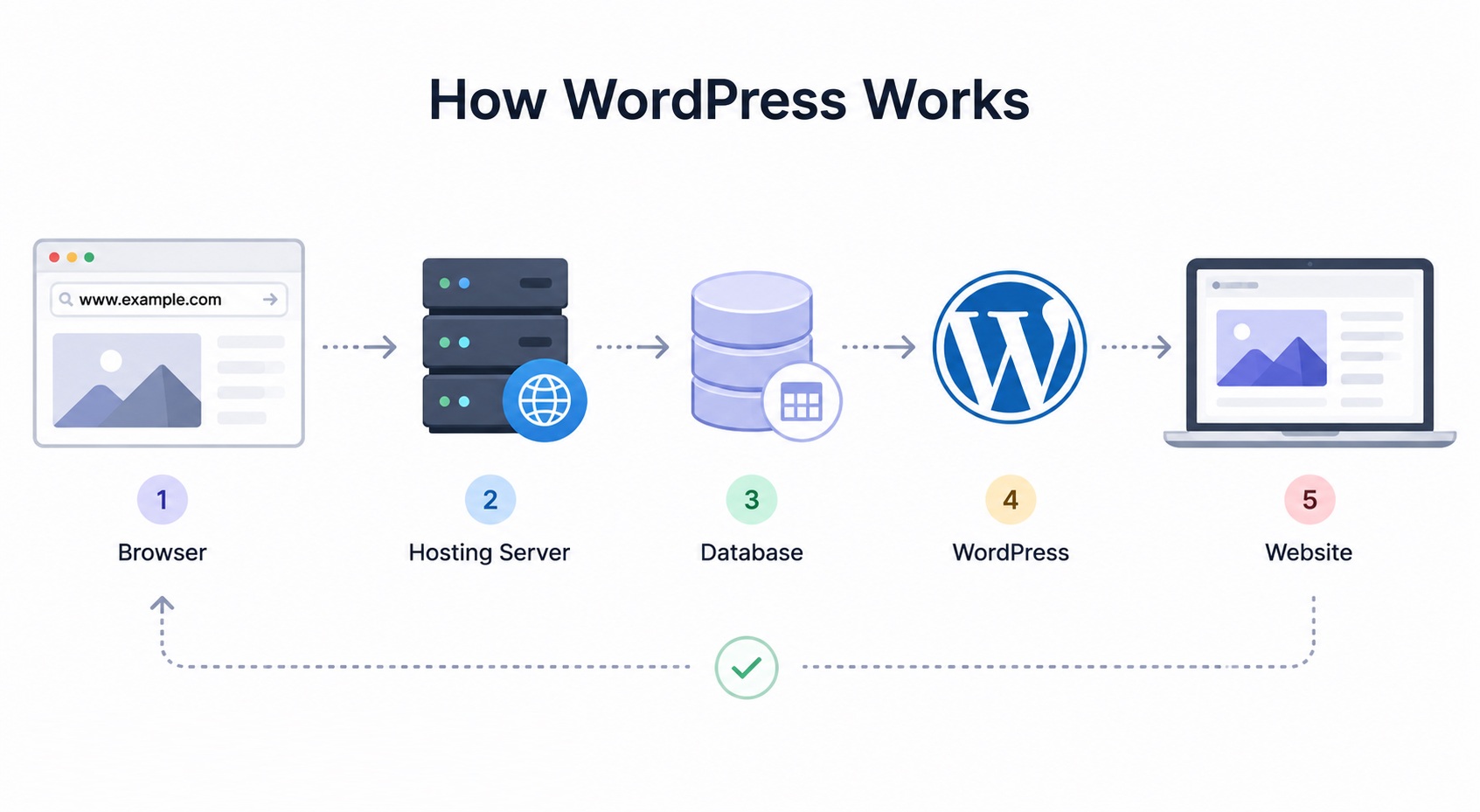
WordPress acts as the bridge between your content and your visitors.
When someone visits your website:
-
The visitor enters your domain name.
-
The web hosting server receives the request.
-
WordPress retrieves content from the database.
-
Themes determine the website's design.
-
Plugins add additional functionality.
-
WordPress generates the final HTML page and sends it to the visitor's browser.
Key Features of WordPress
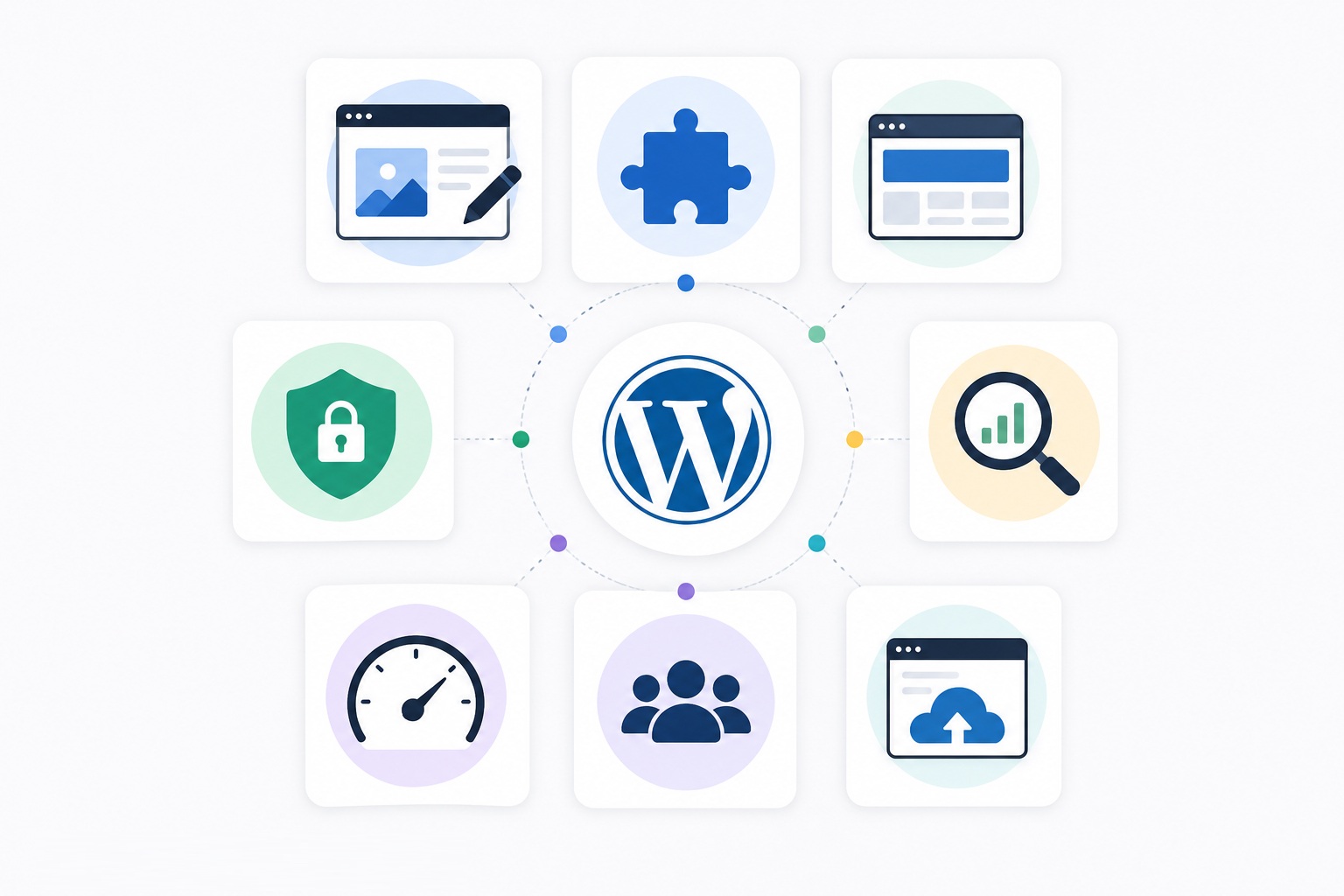
One of the biggest reasons for WordPress's popularity is its extensive feature set.
Easy Content Management
The intuitive dashboard makes it simple to:
-
Create pages
-
Publish blog posts
-
Upload images and videos
-
Organize menus
-
Manage users
No advanced programming knowledge is required for most everyday tasks.
Thousands of Themes
Themes control your website's appearance.
You can choose from thousands of free and premium themes to create almost any design, from corporate websites to online magazines.
Powerful Plugins
Plugins extend WordPress functionality.
Popular plugin categories include:
-
SEO
-
Security
-
Caching
-
Contact forms
-
Membership systems
-
WooCommerce
-
Backups
-
Performance optimization
With over tens of thousands of available plugins, WordPress can be customized for nearly any purpose.
SEO-Friendly Structure
WordPress includes many SEO-friendly features by default, including:
-
Clean URLs
-
Custom permalinks
-
Categories and tags
-
Responsive themes
-
Easy integration with SEO plugins
These features make it an excellent platform for improving search engine visibility.
What Can You Build with WordPress?
WordPress is far more than a blogging platform.
You can create:
-
Business websites
-
Personal blogs
-
eCommerce stores
-
Portfolio websites
-
News websites
-
Membership platforms
-
Learning Management Systems (LMS)
-
Forums
-
Booking websites
-
Nonprofit websites
-
Landing pages
Its flexibility makes it suitable for both beginners and professional developers.
WordPress.org vs WordPress.com
Many beginners confuse these two platforms.
WordPress.org
-
Free open-source software
-
Full control over your website
-
Install any theme or plugin
-
Requires your own web hosting
WordPress.com
-
Hosted service
-
Easier to start
-
Limited customization on lower plans
-
Hosting included
For businesses and professional websites, WordPress.org is generally the preferred choice because it offers complete flexibility.
Why Is WordPress So Popular?
Several factors contribute to WordPress's dominance:
-
Free and open source
-
Beginner-friendly
-
Highly customizable
-
Massive community support
-
Excellent SEO capabilities
-
Frequent updates
-
Scalable for small and large websites
-
Supported by almost every hosting provider
These advantages have made WordPress the most widely used CMS worldwide.
Advantages of WordPress
Some of the biggest benefits include:
-
Easy to learn
-
Flexible design options
-
Extensive plugin ecosystem
-
Strong SEO foundation
-
Large developer community
-
Regular security updates
-
Supports multiple languages
-
Suitable for businesses of every size
Disadvantages of WordPress
Despite its strengths, WordPress also has some limitations:
-
Poor-quality plugins may create security risks.
-
Too many plugins can slow performance.
-
Regular updates require ongoing maintenance.
-
Advanced customization may require PHP, CSS, or JavaScript knowledge.
Most of these challenges can be minimized by choosing quality hosting, reputable plugins, and following WordPress best practices.
Do You Need WordPress Hosting?
Technically, WordPress can run on many standard Linux hosting plans.
However, WordPress Hosting is specifically optimized for WordPress and often includes:
-
One-click installation
-
Automatic updates
-
Enhanced security
-
Server-side caching
-
Daily backups
-
Optimized PHP settings
-
Expert WordPress support
These optimizations improve speed, security, and overall reliability compared to generic web hosting.
Who Should Use WordPress?
WordPress is an excellent choice for:
-
Beginners
-
Bloggers
-
Small businesses
-
Freelancers
-
Agencies
-
eCommerce stores
-
Educational websites
-
Large enterprises
Its scalability allows websites to grow from a simple blog into a complex business platform without changing the underlying CMS.
Final Thoughts
WordPress has earned its reputation as the world's leading content management system by combining ease of use with exceptional flexibility. Whether you're launching your first blog or managing a large eCommerce website, WordPress provides the tools needed to build, customize, and scale your online presence.
When paired with reliable WordPress hosting, quality themes, and trusted plugins, it offers a powerful foundation for virtually any website.
Frequently Asked Questions
Is WordPress free?
Yes. WordPress.org is completely free and open source. You'll only need to pay for web hosting, a domain name, and any premium themes or plugins you choose.
Do I need coding skills to use WordPress?
No. Most websites can be built using WordPress without writing any code.
Can WordPress create an online store?
Yes. By installing WooCommerce, WordPress can power fully featured eCommerce websites.
Is WordPress good for SEO?
Yes. WordPress has an SEO-friendly architecture and supports powerful SEO plugins that help optimize websites for search engines.
What is the difference between WordPress and a website builder?
WordPress offers significantly more flexibility, customization, and scalability than most traditional website builders, making it suitable for both beginners and professional developers.

Comments
0 comments